How the two mods work together
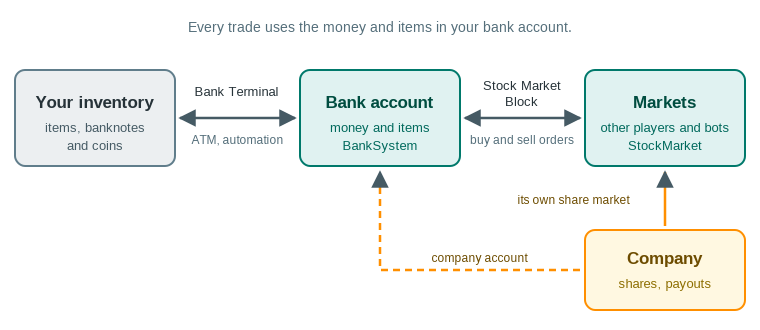
BankSystem is the bank: it holds your money and items. StockMarket is the market: it trades them. The two mods share one account, so everything you buy or sell on the market moves in and out of your bank. This page explains how they connect.
One block, several jobs
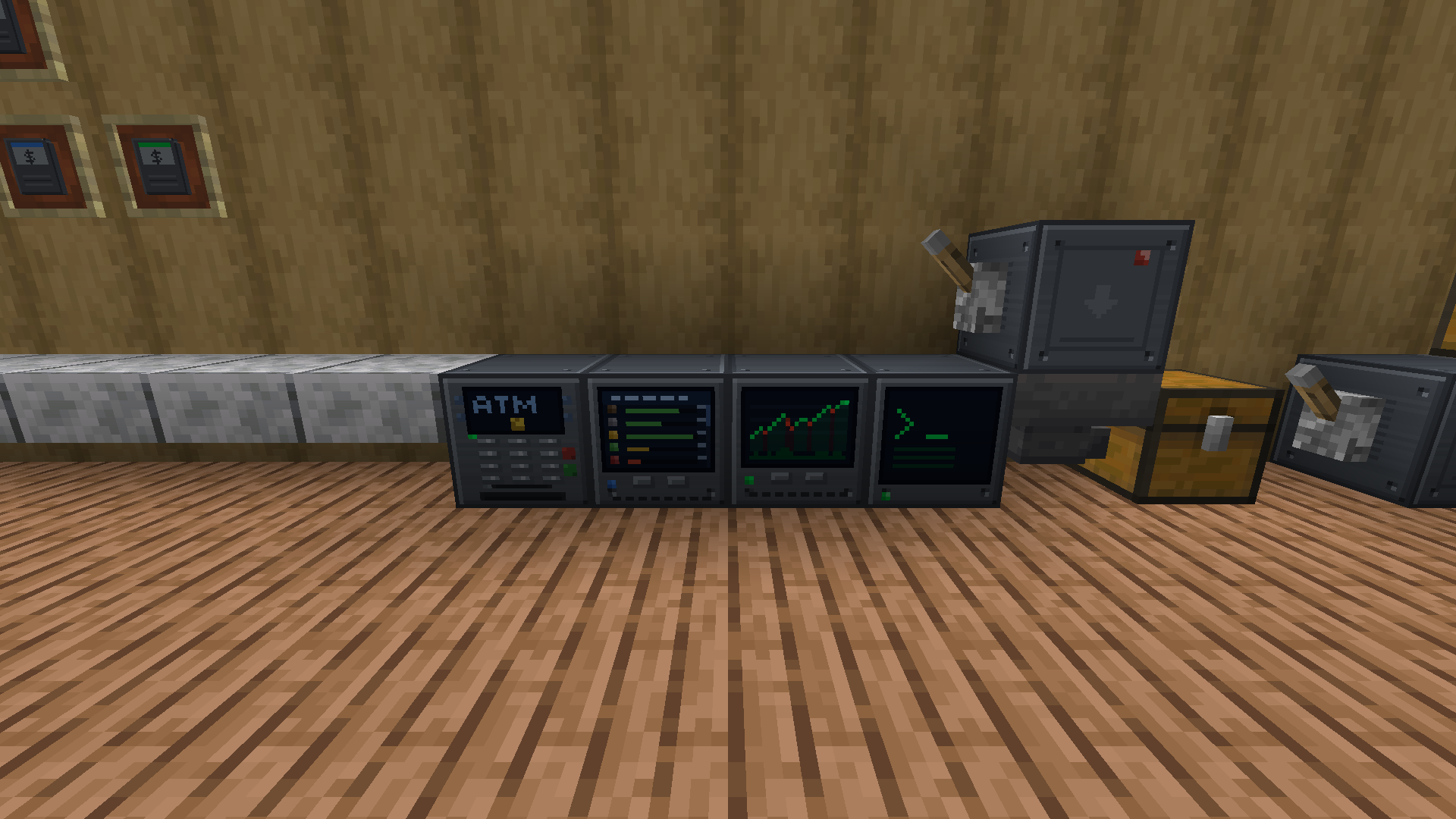
The Terminal Block from BankSystem is the base for all the bank and market blocks. Right-click it with a software item, and it becomes a different block:
| Software | The Terminal Block becomes | What you do there |
|---|---|---|
| Banking Software | Bank Terminal Block | Move items between your inventory and the bank. See Bank Terminal. |
| ATM Software | ATM | Take out money as banknotes and coins. See Money and the ATM. |
| Trading Software (StockMarket) | Stock Market Block | Buy and sell on the market. See Trading basics. |
| Empty Software | Terminal Block again | Nothing: this resets a block. |
The software is not used up. You can reprogram any of these blocks at any time, for example turn a Bank Terminal into a Stock Market Block.
Your bank account is your trading wallet
StockMarket has no money of its own. Every trade uses a BankSystem bank account:
- Buying takes money from the account. The bought items land in the same account, not in your inventory.
- Selling takes items from the account. So put them into the bank at a Bank Terminal first. The money lands in the account.
- While an order is open, the market reserves what it needs: the money for a buy, or the items for a sell. The bank counts them as locked, so you can't spend or withdraw them twice. When the order fills or you cancel it, the lock goes away.
- To hold what you bought, take it out at a Bank Terminal.
You can trade with any account where you are Allowed to deposit and Allowed to withdraw. That includes shared accounts, for example one you run with friends. Pick the account with the account button at the top of the trading screen.
Frozen accounts
An admin can freeze a bank account. Its open orders are cancelled, and it can't trade until the admin unfreezes it.
Every item that has a market can go into the bank, even if the admin never allowed it by hand.
Company shares become markets
In BankSystem you can found a company and print its shares at the Share Stamper. The founder can then create a market for those shares from the company's Market tab. From that moment the shares trade like any other item. Other players find them under Companies when they pick a market.
Read more:
- For founders: Your company on the stock market.
- For traders: Trading company shares.
Villagers pay in money
With StockMarket installed, villagers can trade for money instead of emeralds. Their prices follow the market price of the item. You pay with banknotes and coins, and the villager gives change. Your server admin decides whether this is on. See Villager trading.
Your total wealth uses market prices
The balance history in the Bank Terminal (History button) shows a gold Total Wealth line. It adds up the money and the items in the account, locked ones included, with each item counted at its current market price. Items without a market count as zero. When prices change, your total wealth changes too, even if you don't trade.
Related pages
- Getting started: the first deposit and the first trade, step by step.
- Bank accounts: shared accounts and their rights.
- Trading basics: how orders reserve and use your money.