Founding and running a company
A company is a business that players run together. It has its own bank account, its own workers and its own shares. Players can buy shares, and the company can pay them dividends. With StockMarket installed, the shares can even get their own market.
Founding a company
Type in chat:
- name: the company name. Put it in quotes if it has spaces. Each name can only be used once.
- max supply: the highest number of shares that can ever exist, from 1 to 1,000,000,000.
Choose the max supply carefully
You can never change the max supply later.
Founding a company does three things:
- It creates a bank account with the company's name. All company money and items live there.
- It gives you all three rights on that account: Allowed to deposit, Allowed to withdraw and Allowed to manage.
- It makes you the company's founder.
By default, each player can found 3 companies. The company's bank account also counts toward your account limit, so you need a free slot there too.
Founders and workers
Founders own the company. Only a founder can hand the company over, dissolve it or close its market for good. A founder always keeps Allowed to manage on the company account, so no worker can lock the founder out.
Workers are the users of the company's bank account. Their account rights decide what they can do for the company:
| Right on the company account | The worker can |
|---|---|
| Allowed to deposit | Pay money and items into the company. Receive wages from payouts. |
| Allowed to withdraw | Spend the company's money and take its items. |
| Allowed to manage | Run the company: workers, payouts, dividends, the look of the shares, the Share Stamper, the market and the description. |
The Company Management screen
There are two ways to open it:
/company manage "<name>", if you have Allowed to manage on the company account.- Right-click with a company share in your hand. Anyone can do this, but players without rights only see the public tabs.
| Tab | Who sees it | What it is for |
|---|---|---|
| Overview | Everyone | Company facts and the description. |
| Workers | Managers and founders | Who works here and their rights. |
| Payouts | Managers and founders | Wages and dividends. See Payouts and dividends. |
| Shares | Everyone, editing needs Allowed to manage | The look of the shares and the bound Share Stampers. See Shares and the Share Stamper. |
| Market | Everyone, only with StockMarket | The share market. See Your company on the stock market. |
| Statistics | Everyone, details only for members | Money and shareholders over time. |
| Danger Zone | Founders | Hand over or dissolve the company. |
To read the facts of any company without opening a screen, type /company info "<name>".
Overview
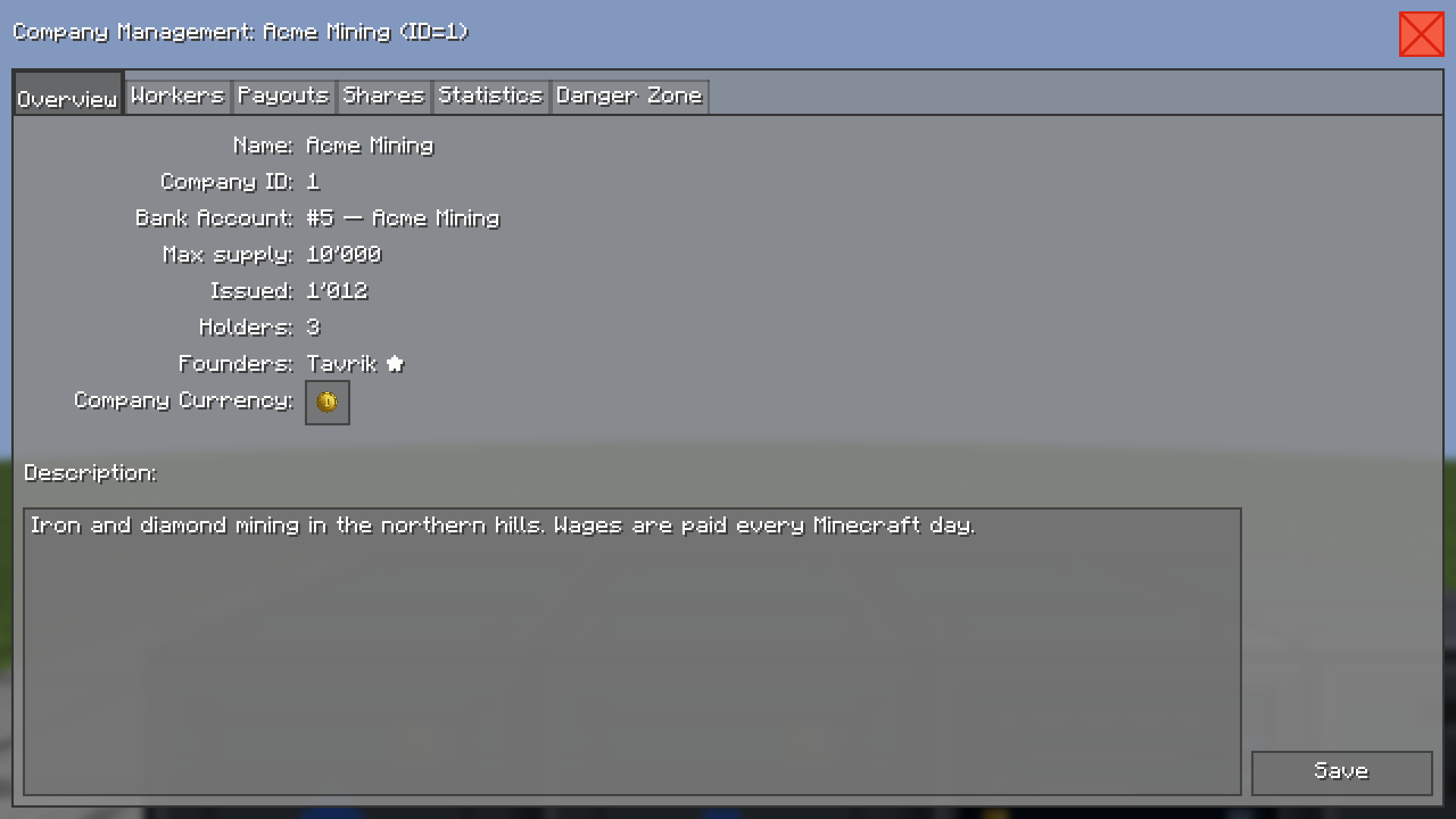
The tab lists the Name, Company ID, Bank Account, Max supply, how many shares are Issued, the number of Holders and the Founders (marked with a ★).
Managers can also write a Description that every player can read, and pick the Company Currency: the item in which the company's balance is shown. Money is the default.
Workers
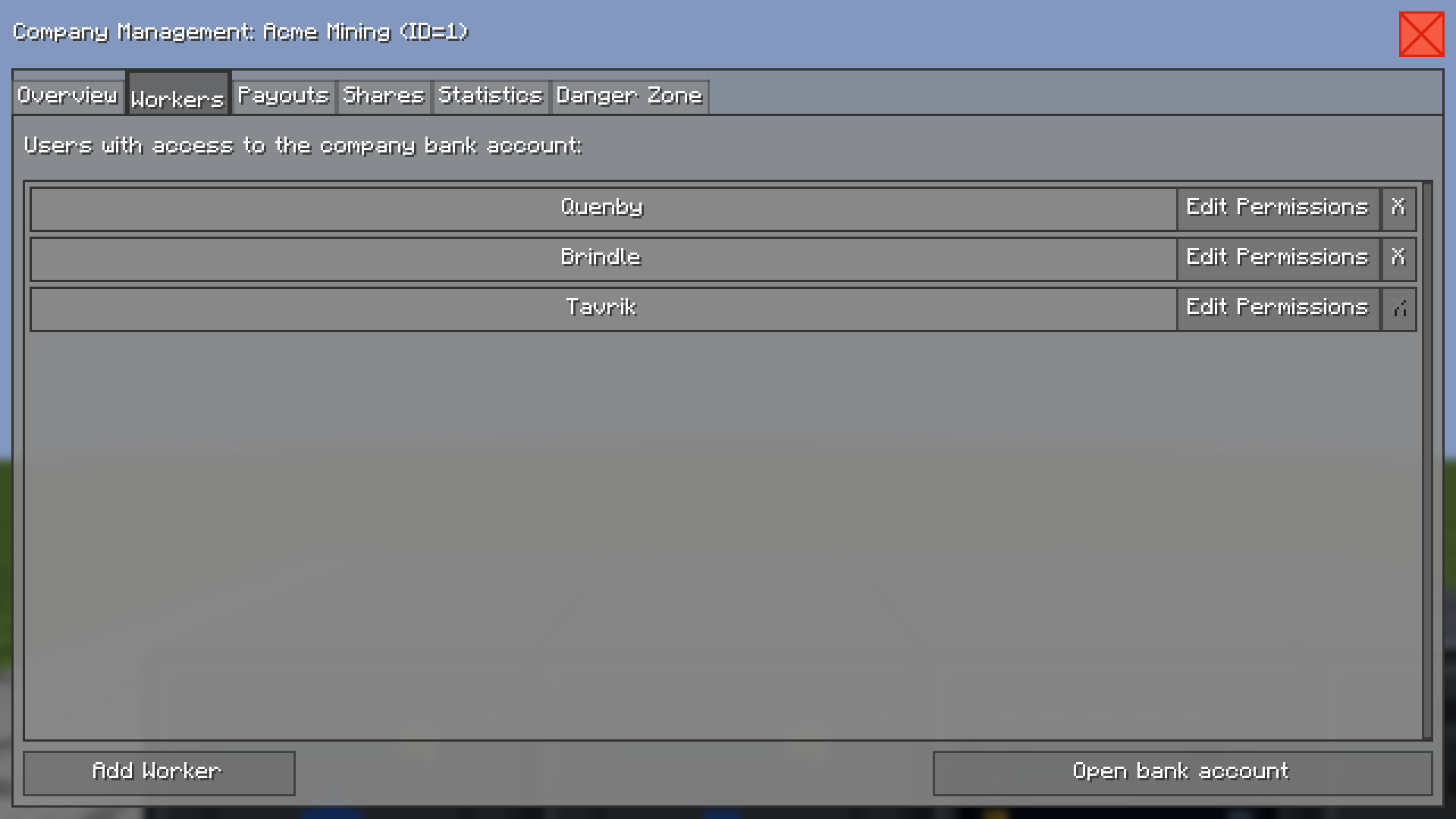
- Add Worker picks a player. New workers start with Allowed to deposit only.
- Change a worker's rights with Edit Permissions next to their name. The change is saved right away.
- The X removes a worker. Their wage payouts are removed too.
- Open bank account opens the full management screen of the company account.
Founders can't be removed here. Hand over the founder role in the Danger Zone instead.
Statistics
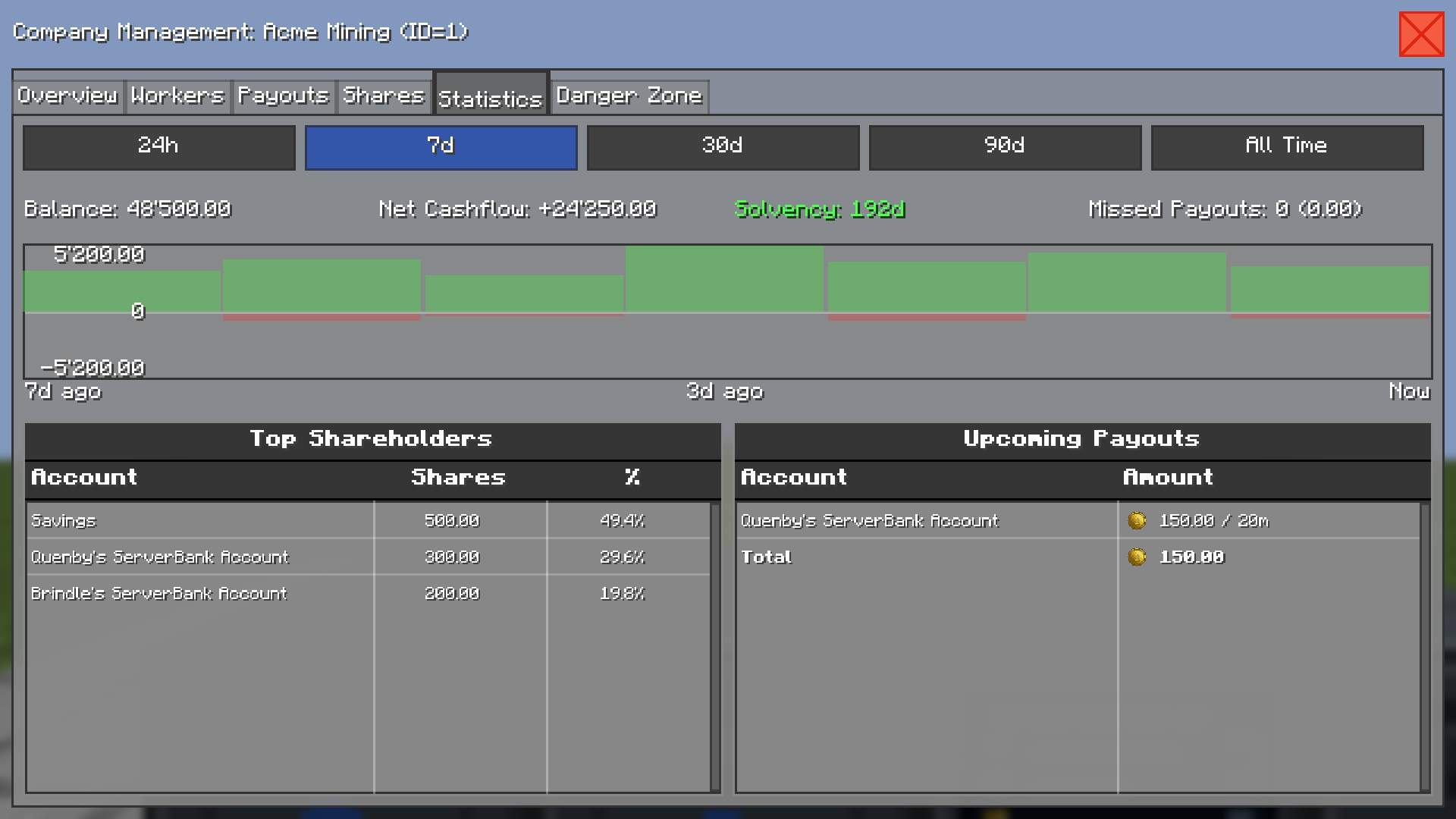
Pick a time span (24h, 7d, 30d, 90d or All Time) and the tab shows:
| Figure | Meaning |
|---|---|
| Balance | The money in the company account now. |
| Net Cashflow | Money in minus money out in the chosen time span. |
| Solvency | Roughly how many real days the money lasts at the current spending. Safe when nothing is draining it. |
| Missed Payouts | How many payouts failed, and their total. |
Below are a chart of money in and out, the Top Shareholders and the Upcoming Payouts.
Workers, shareholders and admins see all of this. Everyone else only sees how many shares exist and how many players hold them.
Danger Zone
Only founders see this tab. Both actions can't be undone.
- Transfer founder: type the new founder's name and confirm. The new founder must already be a worker, so add them in the Workers tab first. You lose the founder role and Allowed to manage, but keep your other rights.
- Dissolve company: type the exact company name, then confirm. The company is gone, but its bank account stays as a normal shared account with all its money. It still counts toward your bank account limit until you delete it. Shares of a dissolved company stay in the world as items but belong to no company anymore.
If something goes wrong
| Message | What it means | What to do |
|---|---|---|
| Failed to create company '…': NAME_TAKEN | Another company has this name (upper and lower case count as the same). | Pick another name. |
| You have reached your limit of N company/companies. | You founded as many companies as the server allows. | Dissolve one, or ask your admin. |
| … Founding a company needs a free bank account slot. | Your bank account limit is full. | Delete an account you don't need. |
| No such company '…'. | The name is wrong. | Check the spelling. Names with spaces need quotes. |
| You need MANAGE on the company's bank account to manage it. | You lack Allowed to manage. | Ask a manager of the company. |
| … is not a worker of this company. Add them in the Workers tab first. | You tried to hand over the founder role to a player who isn't a worker. | Add them as a worker, then try again. |
| The typed name does not match the company name. | The confirmation needs the exact name, upper and lower case included. | Type it exactly. |
Related pages
- Payouts and dividends: pay wages and share profits.
- Shares and the Share Stamper: make the shares.
- Your company on the stock market: let players trade your shares.
- Bank accounts: the company account is a normal shared account.