Blocks and recipes
StockMarket adds two blocks and two items. Some recipes use parts from BankSystem: the Terminal Block, the Empty Software and the Display. You find their recipes on the BankSystem recipe page.
| Block or item | What it does |
|---|---|
| Stock Market Block | Opens the trading screen. |
| Trading Software | Turns a Terminal Block into a Stock Market Block. |
| Stock Market Display | Shows a live price chart on a wall. |
| Newspaper | Opens the market news. |
Stock Market Block
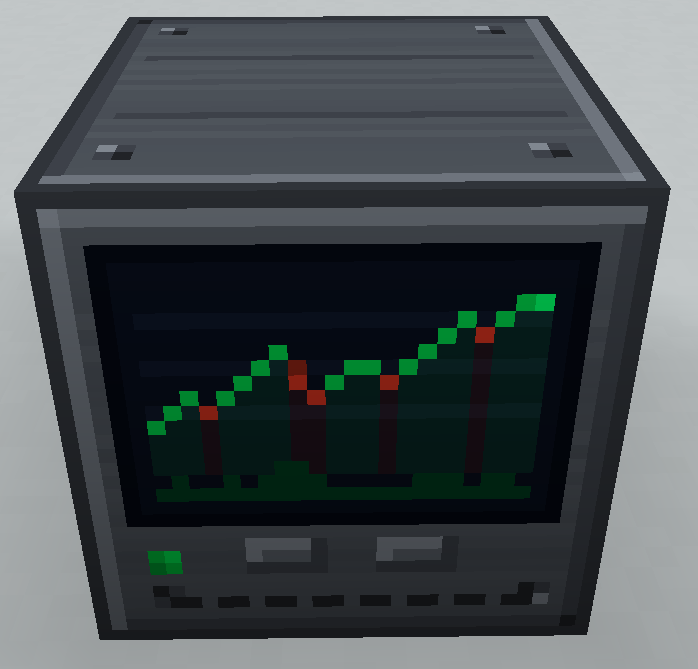
Right-click it to open the trading screen. See Trading basics.
You don't craft this block directly:
- Place a BankSystem Terminal Block.
- Hold a Trading Software and right-click the Terminal Block.
The Terminal Block turns into a Stock Market Block. The software is not used up. When you break the block, it drops as a Stock Market Block, so you can place it somewhere else.
Trading Software
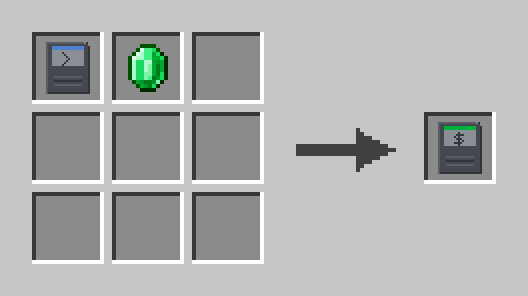
One Empty Software and one Emerald, side by side.
Stock Market Display
Four Iron Nuggets in the corners, three Glass Panes at the top, left and right, a BankSystem Display in the middle and an Emerald at the bottom.
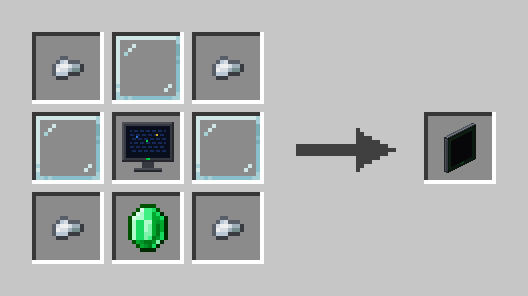
How to build a screen from several displays: Stock Market Display.
Newspaper
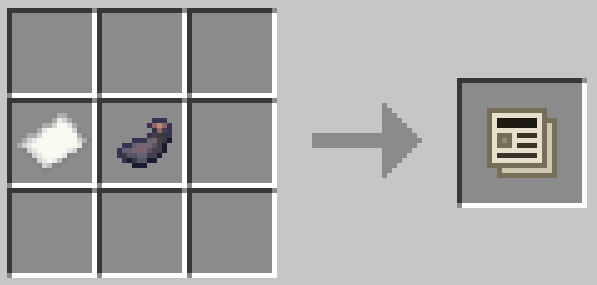
One Paper and one Ink Sac, anywhere in the crafting grid. You only need one: the Newspaper is never used up.
How to read it: Market news.
Related pages
- BankSystem blocks and recipes: the Terminal Block, Empty Software and Display.
- Getting started: building your first Bank Terminal and Stock Market Block.
- How the two mods work together: the Terminal Block family.