Stock Market Display
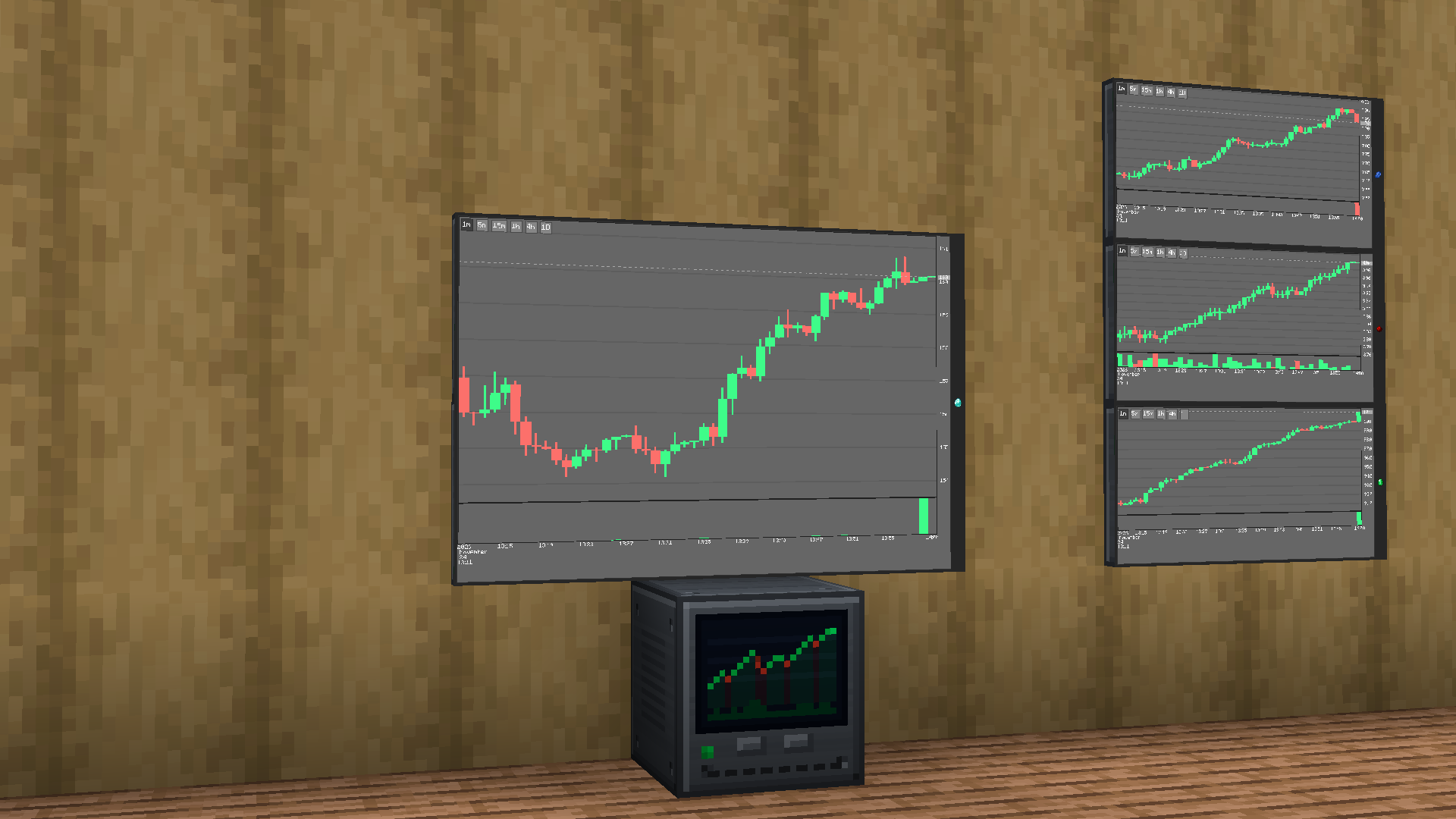
The Stock Market Display shows the live price chart of a market on a wall. Several displays next to each other that show the same market join into one big screen. You can show a normal market, or the exchange rate between two items.
Before you start
- You have one or more Stock Market Displays. The recipe is on Blocks and recipes.
- The market you want to show exists on your server.
Building a screen
- Place the displays on a wall, side by side and on top of each other.
- Make sure they all face the same way. Displays that face the same way, touch each other and show the same market join into one screen. New displays aren't set up yet, so they join each other: place the whole screen first, then set it up.
- Fill a full rectangle, for example 3 wide and 2 high. The screen covers the largest rectangle that starts at the top-left display.
A new screen shows Right-click to configure.
Choosing what it shows
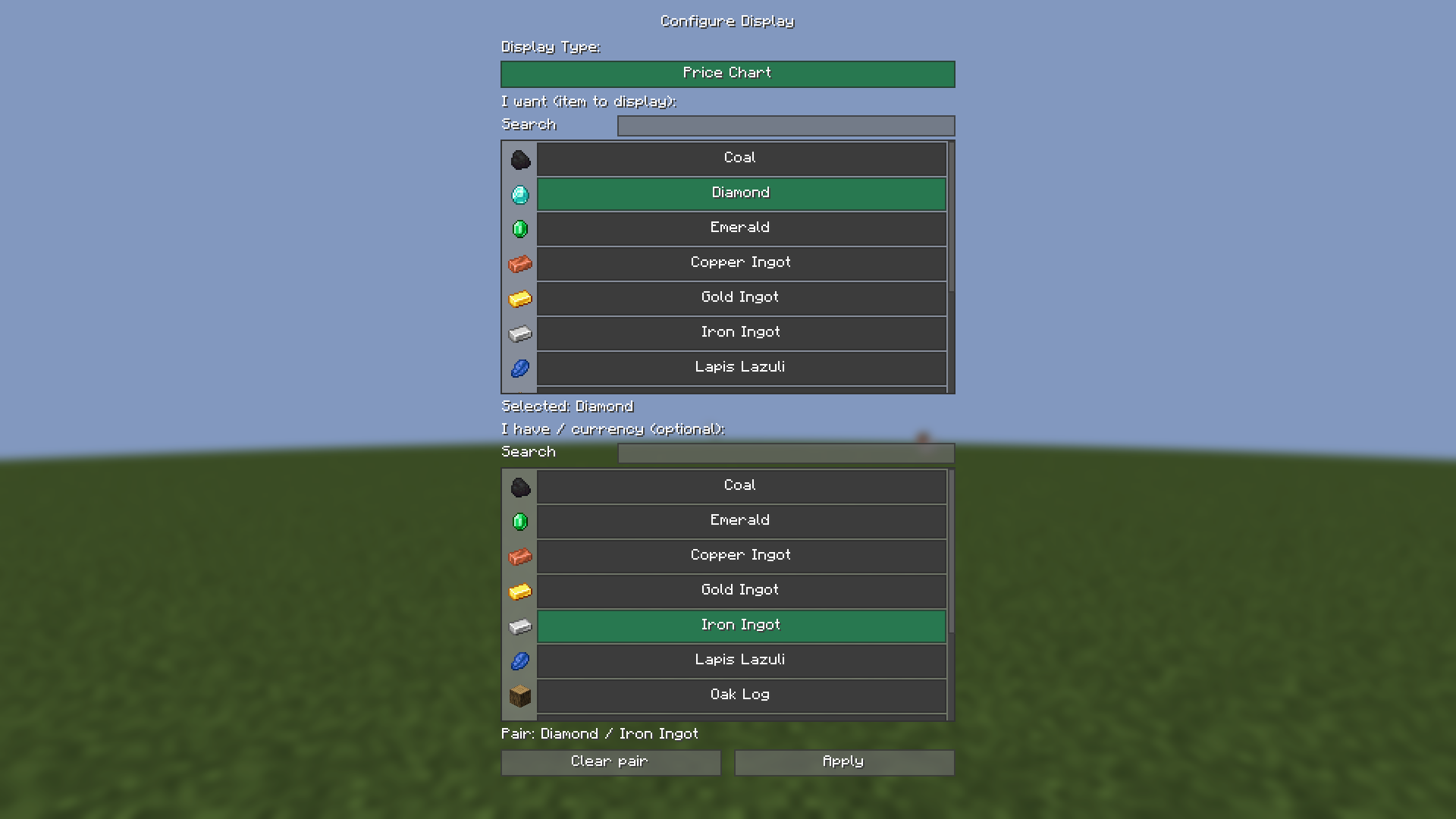
- Right-click the screen. The Configure Display window opens.
- Under I want (item to display):, pick the market to show.
- Optional: under I have / currency (optional):, pick a second item. The screen then shows the exchange rate between the two items, like the Item / Item mode. Clear pair goes back to a normal price chart.
- Click Apply.
Looking closer
Once the screen shows a chart, right-click it to open the chart full screen. Move and zoom it the same way as in the trading screen, see Moving around the chart. When you close the full-screen chart, the wall screen keeps the view you chose.
Showing a different market
You have to rebuild the screen
After you click Apply, right-clicking always opens the chart, not the settings. To show a different market, break all displays of the screen and place them again. The screen keeps its settings as long as one of its displays is still there.
Related pages
- Price chart and order book: reading the chart.
- Trading item for item: what the exchange rate means.
- Blocks and recipes: crafting the display.