Money and the ATM
BankSystem money is counted in dollars and cents. Most of the time it is just a number in your bank account. When you need cash in your hand, for example to pay a villager or to hand it to a friend, you take it out as banknotes and coins at the ATM.
Money in the bank and in your hand
- In the bank, money is a balance. Trades, payouts and
/money sendall use this balance. - In your hand, money is items: coins from 1 Cent to 50 Cent plus the Dollar coin, and banknotes from 5 Dollar up to 1'000'000 Dollar.
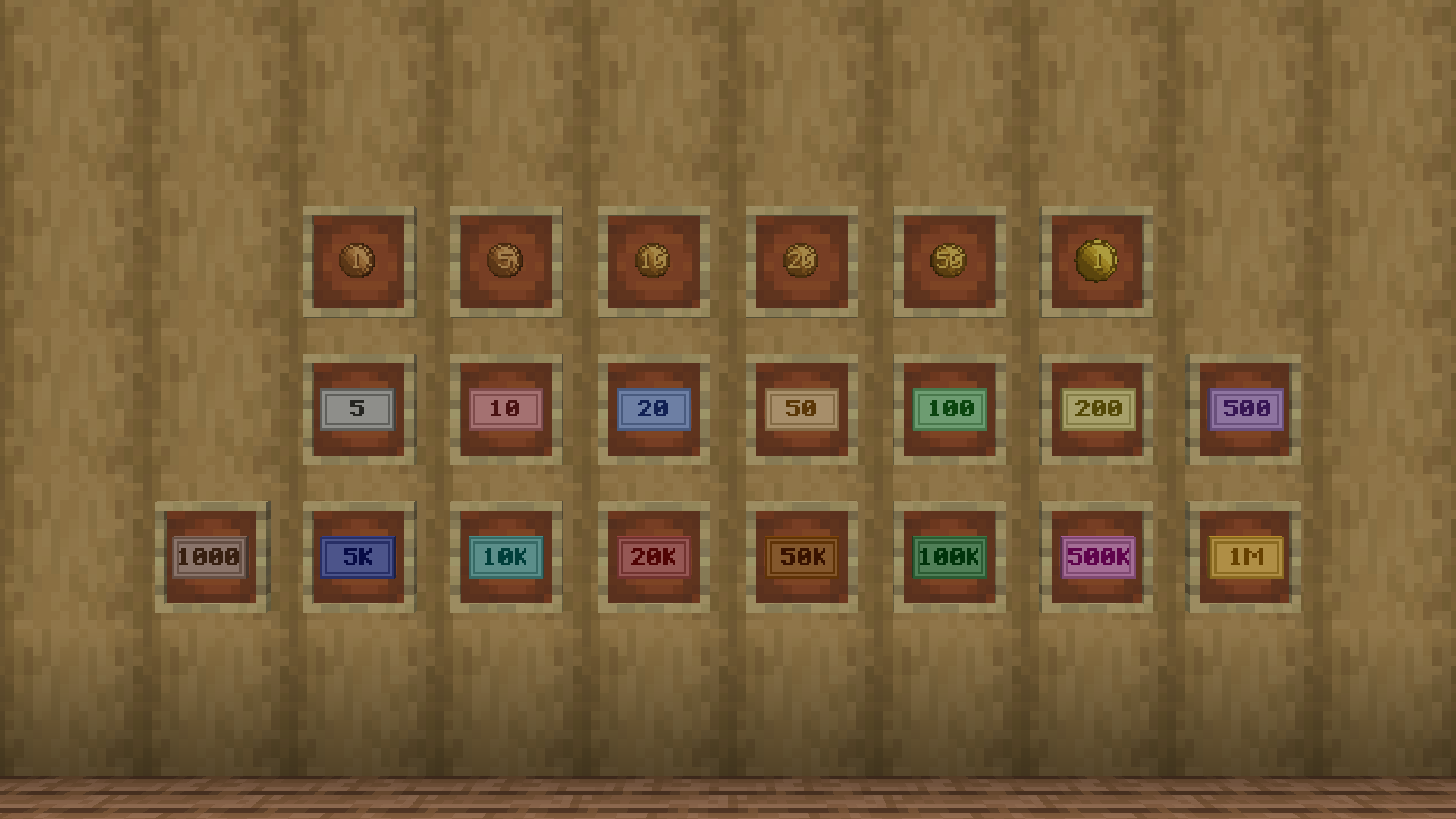
To put cash back into the bank, use a Bank Terminal like for any item: put the notes and coins into the slots and click Send items to bank. They count at their face value. Or use the ATM's Convert tab, see below.
Checking and sending money
| Command | What it does |
|---|---|
/money |
Shows your money balance. |
/money send <player> <amount> |
Sends money from your bank to another player's bank. |
The ATM
To make an ATM, right-click a Terminal Block with ATM Software. See Blocks and recipes.
Right-click the ATM to open it. It has two tabs. The account button between them picks the bank account for both.
Withdraw: take out cash
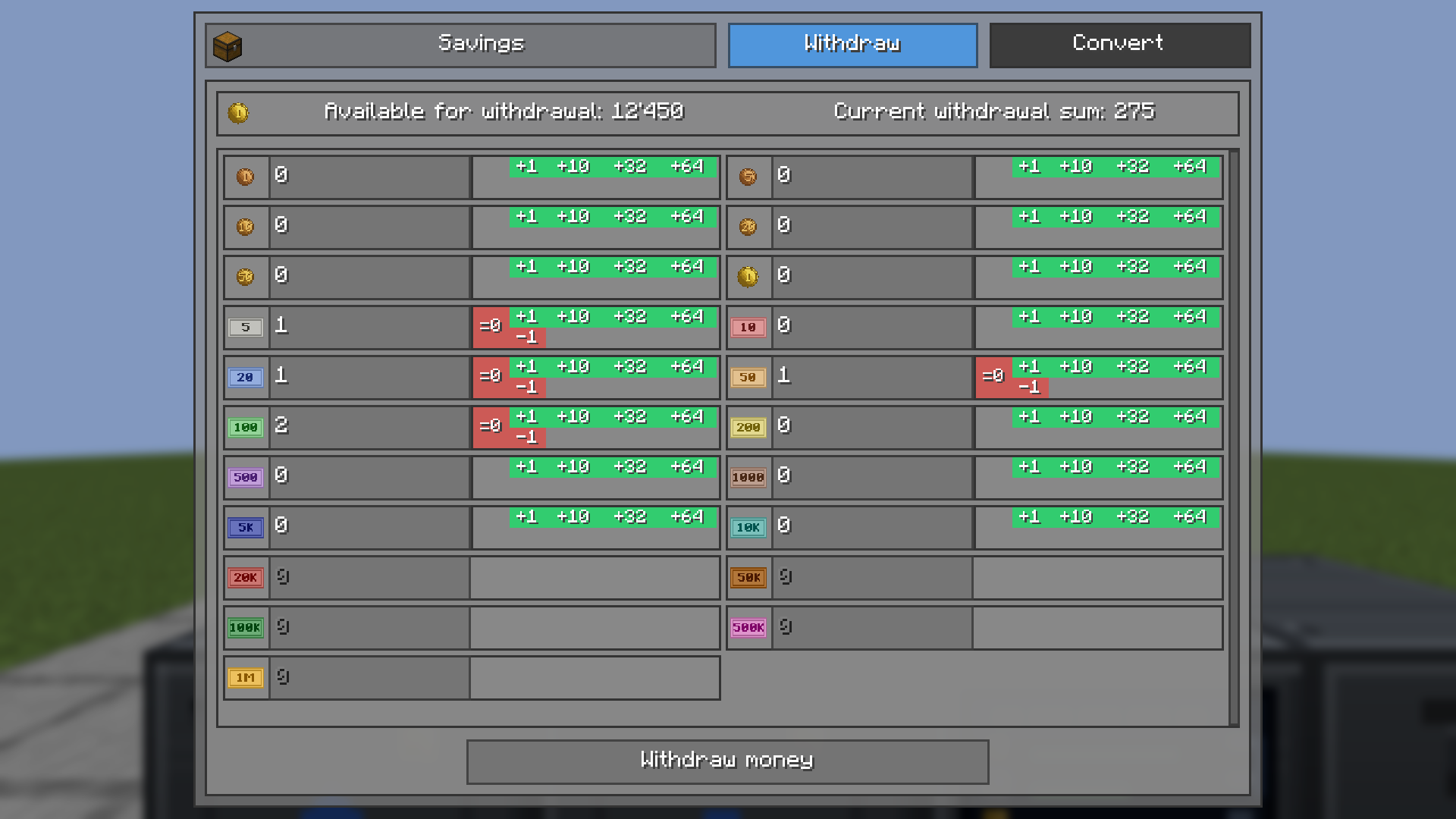
- Pick how many of each banknote and coin you want, with the + and − buttons or by typing the number.
- Check Current withdrawal sum against Available for withdrawal.
- Click Withdraw money.
Notes you can't afford are greyed out.
Convert: change money
The Convert tab changes notes into other notes of the same value, for example one 100 Dollar note into five 20 Dollar notes. It doesn't touch your bank account unless you ask it to.
- Click Deposit money from inventory. All notes and coins you carry move into the ATM's cache. Available for withdrawal shows the total.
- Pick the notes and coins you want and take them out.
- If something is left in the cache, click Deposit remainder to bank to put it into the selected account, or Drop remainder to get it at your feet in as few notes as possible.
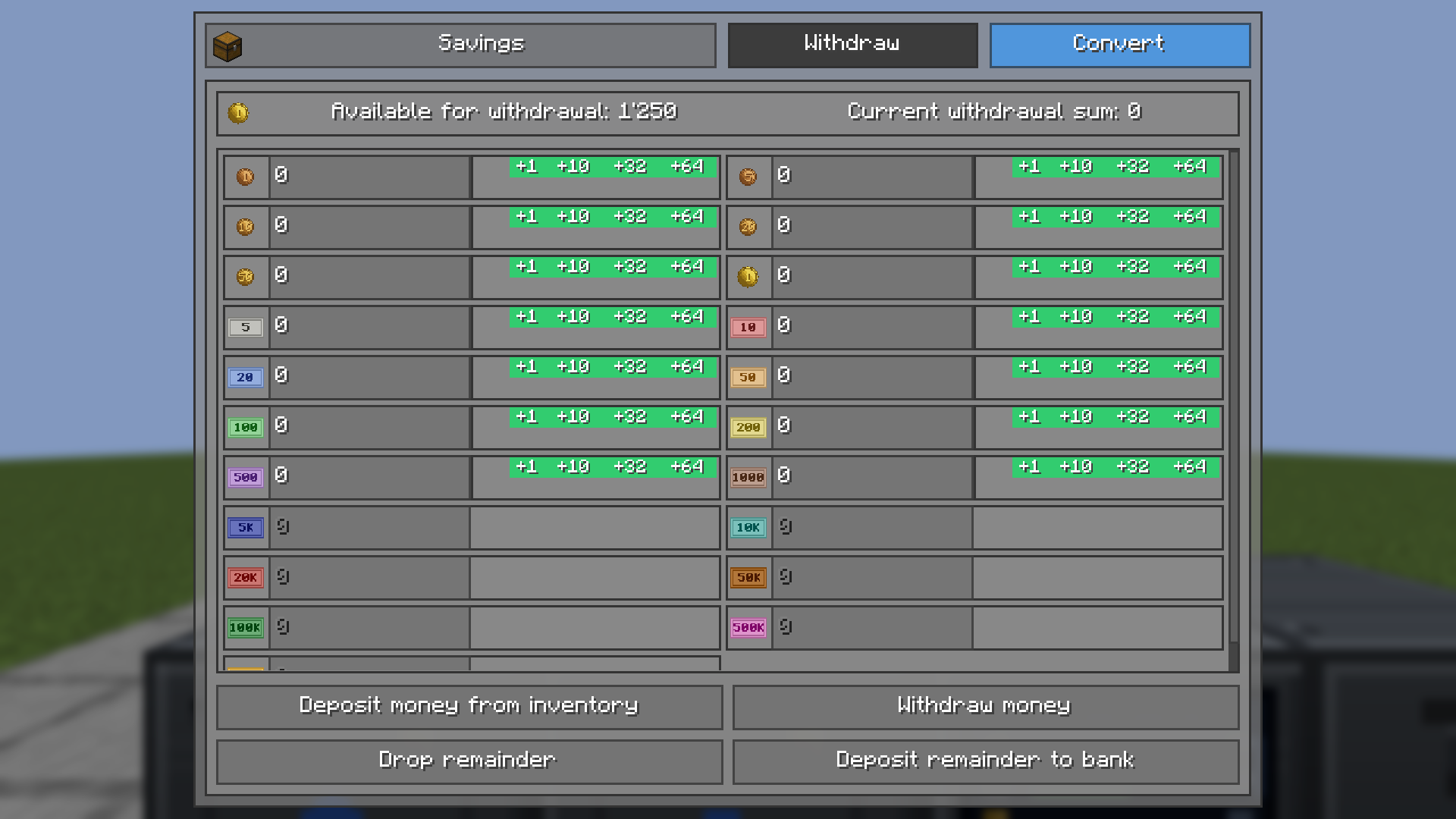
If you close the screen with money still in the cache, the ATM drops it at your feet. Nothing is lost.
The Money Stockpile
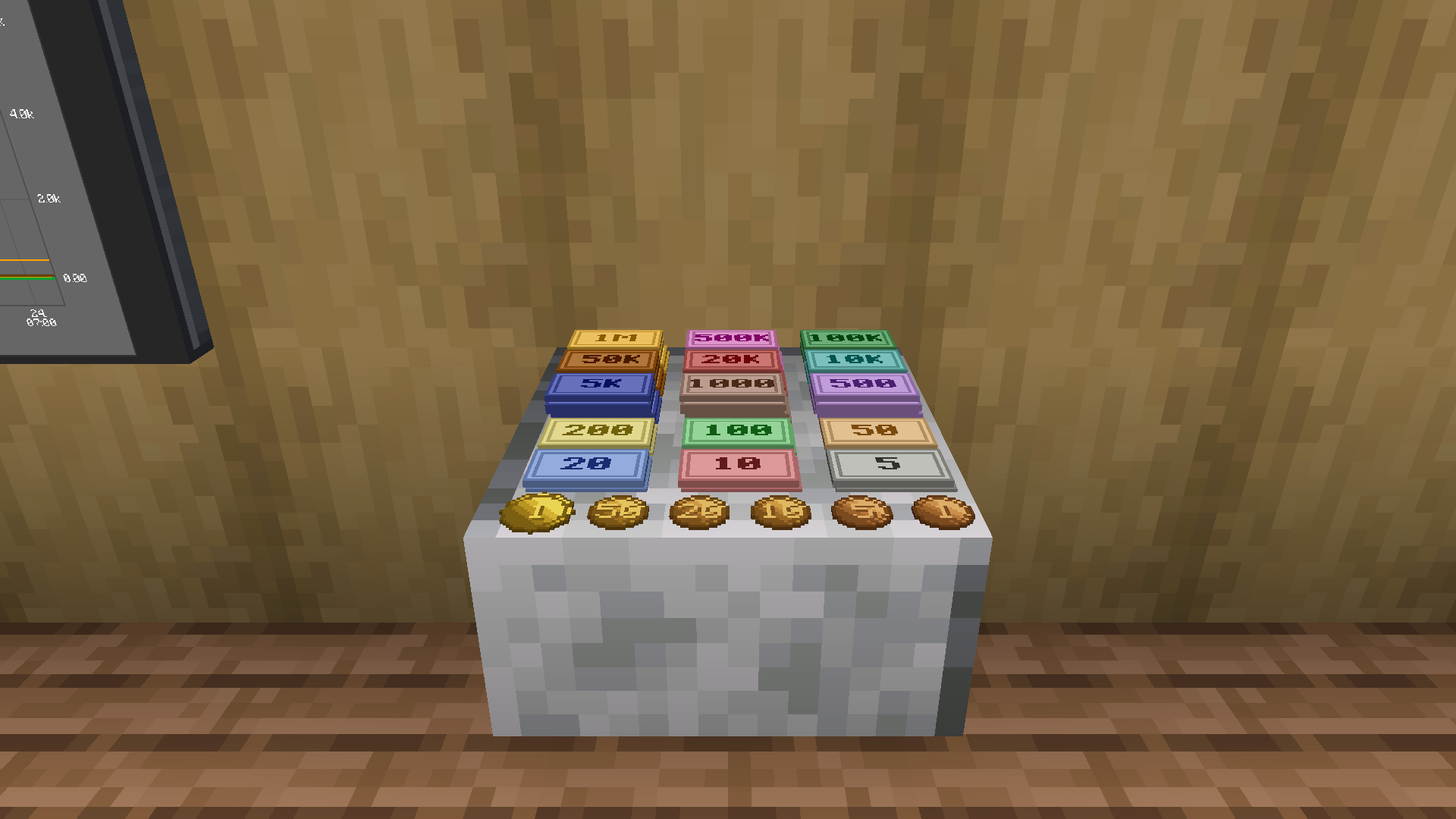
You can put cash in the world as a pile. Hold banknotes or coins and right-click a block: a Money Stockpile Block appears next to it. Coins and banknotes lie in stacks, one stack per value.
- Right-click the pile with more money to add to it.
- Right-click it with an empty hand to take money back.
- Break it to get all the money back.
Piles are not in the bank
Money in a pile or a chest is just items. Other players can take it, and it doesn't count for trading.
If something goes wrong
| Message | What it means | What to do |
|---|---|---|
| You do not have enough money in the bank to withdraw N | The account holds less than you picked. | Pick a smaller sum. |
| Select a bank account first | No account is chosen in the ATM. | Click the account button and pick one. |
| A chat message says the account is frozen | An admin has frozen the account. | Ask an admin. |
Related pages
- Bank accounts: which account the money comes from.
- Villager trading: paying villagers with cash.
- Bank Terminal: putting cash back into the bank.