Bank Terminal
The Bank Terminal Block is where items go into your bank account and come back out. You can also craft with the items in your bank without taking them out first, and look at how your balances changed over time.
To make one, right-click a Terminal Block with Banking Software. See Blocks and recipes.
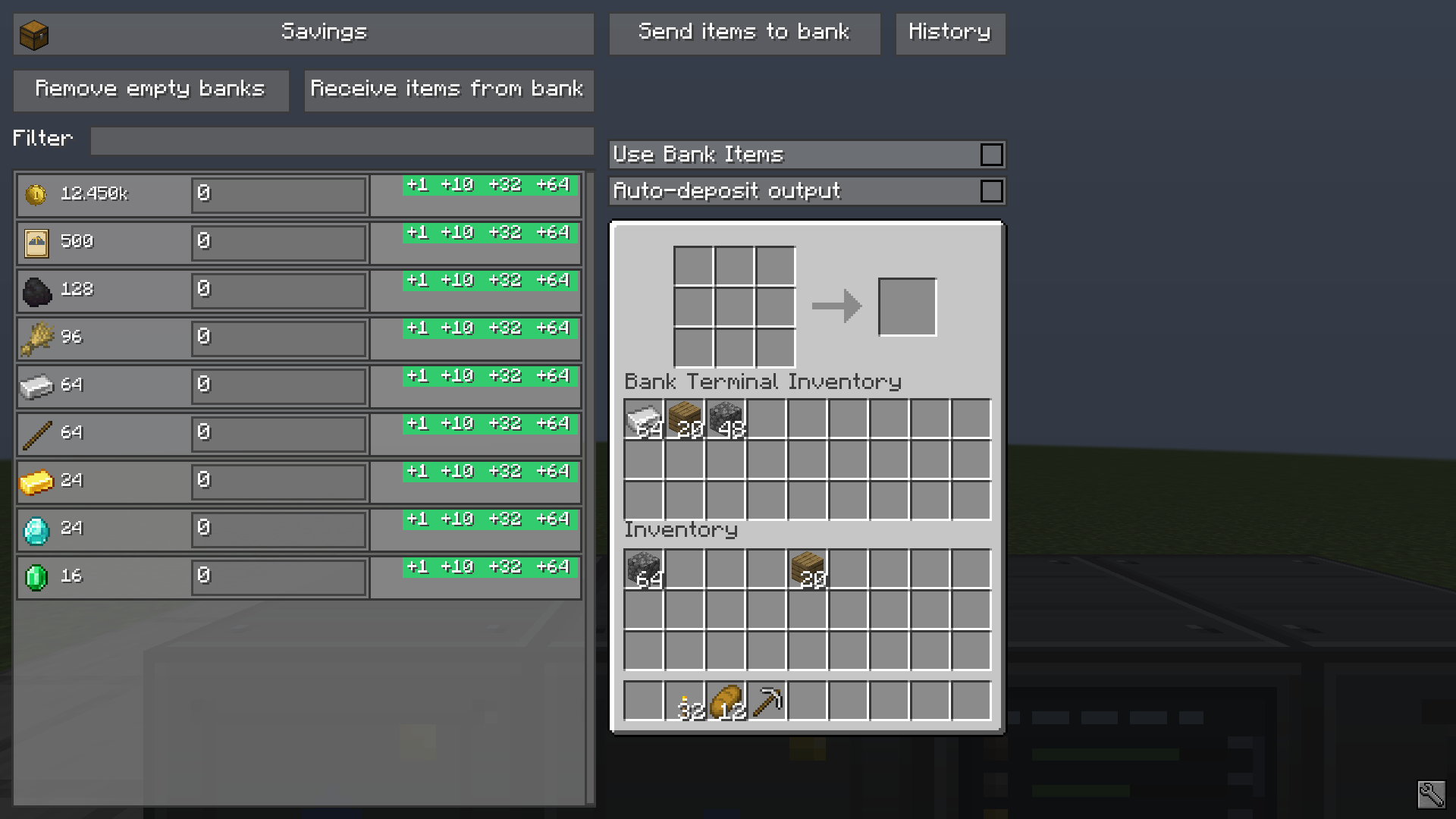
The screen
Right-click the Bank Terminal Block. The screen has two halves:
- On the left, the items in your bank account, one line per item with its balance. Type in the Filter box to find an item by name. The account button at the top switches to another account you have access to.
- On the right, the Bank Terminal Inventory (27 slots), a crafting grid and your own inventory.
The Bank Terminal Inventory belongs to you alone. Other players using the same block see their own slots, like an ender chest.
Putting items into the bank
- Move the items from your inventory into the Bank Terminal Inventory slots.
- Click Send items to bank.
Everything in the slots goes into the selected account. Items that can't be stored stay in the slots:
- Items the server doesn't allow in the bank. Ask your admin which items are allowed.
- Damaged or enchanted items. The bank only stores items in their plain state.
Taking items out
- Find the item in the list on the left.
- Set the amount with the +1, +10, +32 and +64 buttons, or type it. The amount can't go above your balance.
- Set amounts for more items if you want. One click takes them all out.
- Click Receive items from bank.
The items appear in the Bank Terminal Inventory slots. Move them into your inventory.
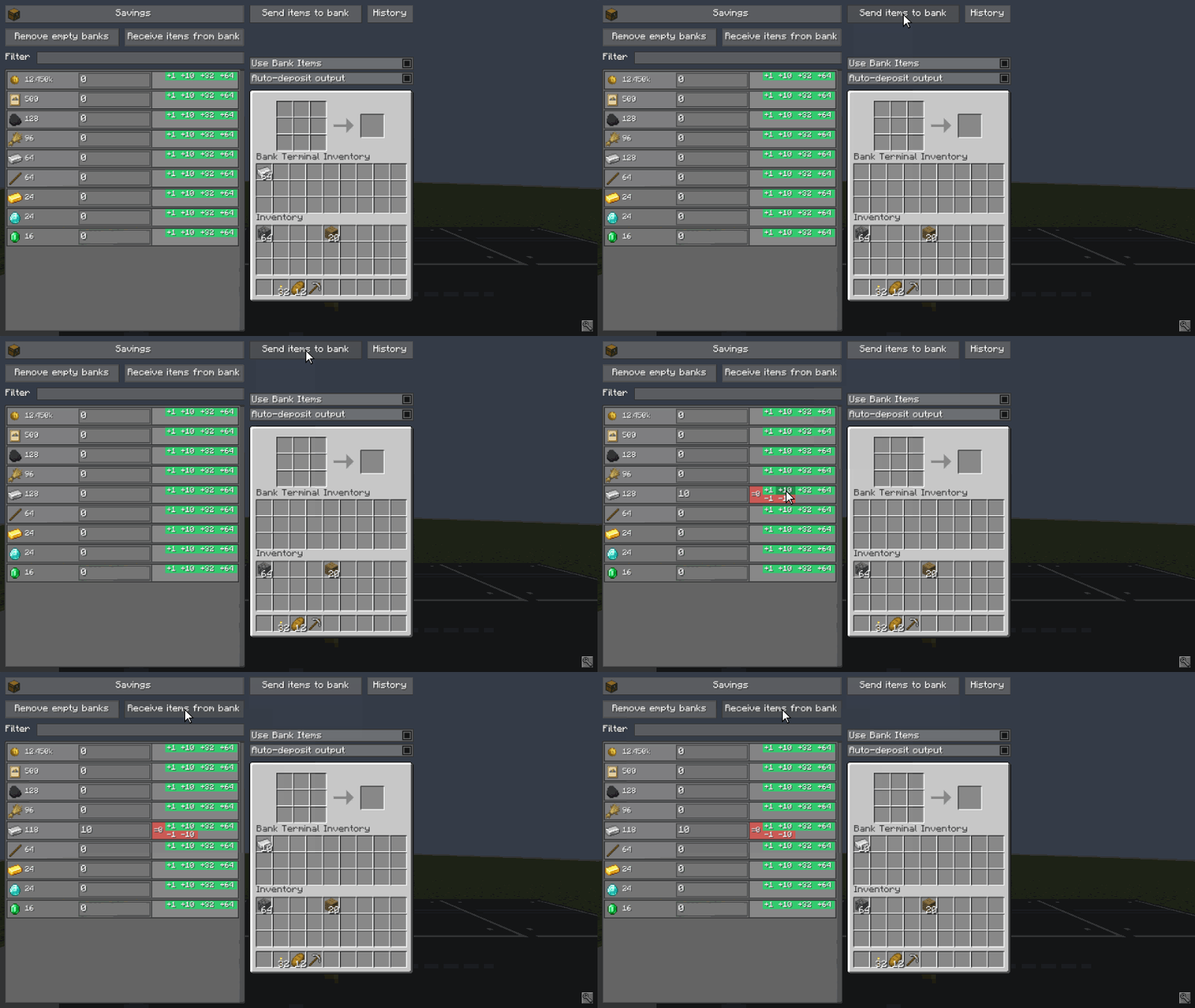
Don't leave items in the slots
When the Bank Terminal Block is broken or reprogrammed with another software, everything still in its slots drops on the ground. This counts for every player's slots. Items in the bank account are safe.
Remove empty banks removes the lines of items with a balance of zero from the list.
Crafting with bank items
The 3×3 crafting grid works like a crafting table, with all normal recipes. Two checkboxes connect it to your bank:
- Use Bank Items: missing ingredients come from the bank account. Put at least one real item into the grid to start the recipe. Faded icons then show which items the bank will add. Money is never used as an ingredient. You need Allowed to withdraw on the account.
- Auto-deposit output: what you craft goes straight into the bank account, not into your inventory. You need Allowed to deposit. If the bank can't store the item, it goes to your inventory and a message says why.
The terminal remembers both checkboxes for you. Items left in the grid go back to your inventory when you close the screen.
To craft an item without knowing its recipe, click its icon in the bank list. If exactly one of its recipes can be paid for (from the bank with Use Bank Items on, otherwise from your inventory), the terminal sets it up in the grid. Otherwise the Recipe selection window lists the recipes to pick from.
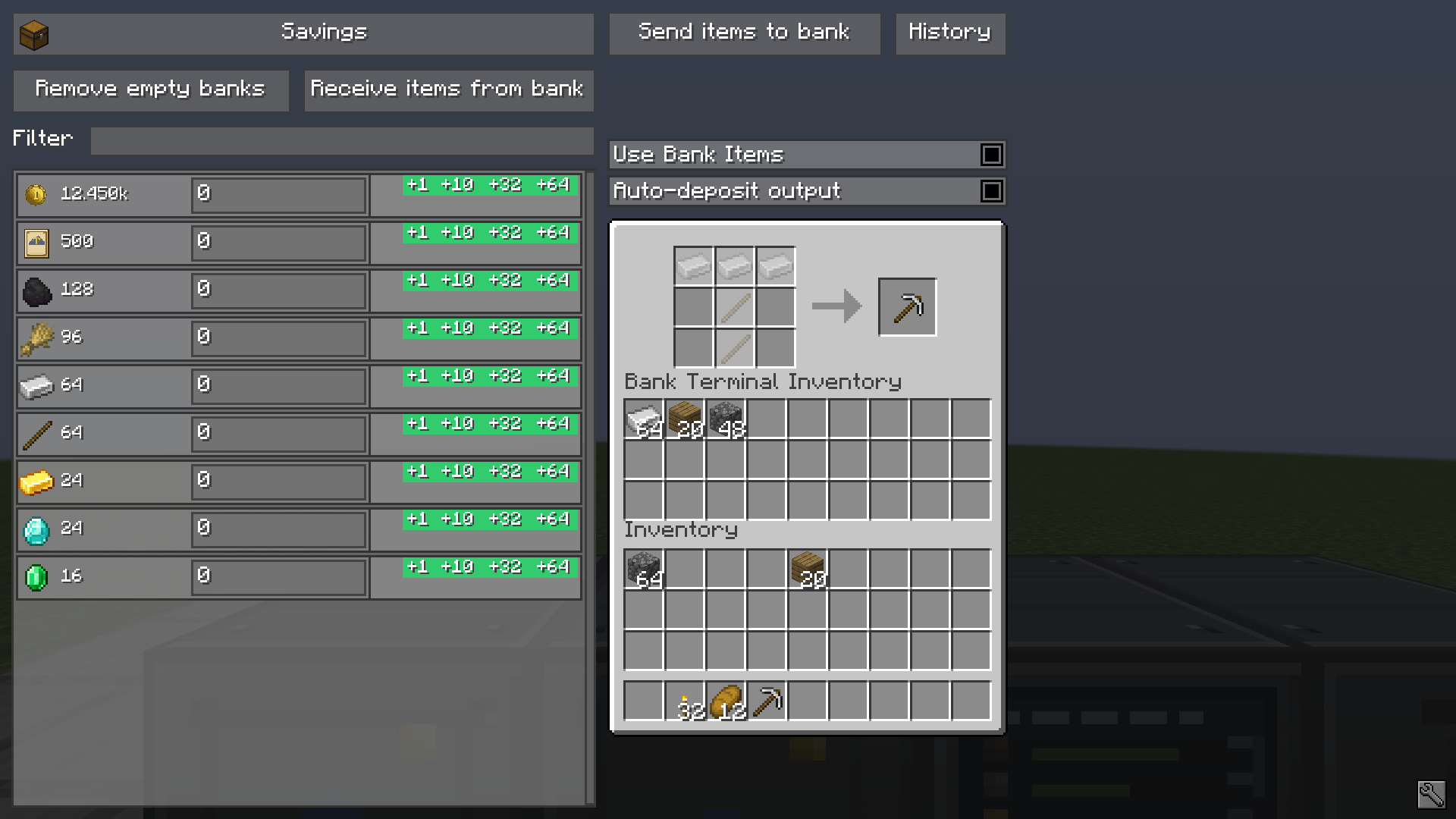
With JEI
If the JEI mod is installed, the + button in a JEI recipe fills the crafting grid. With Use Bank Items on, it only places the recipe pattern, and the bank supplies the ingredients when you craft.
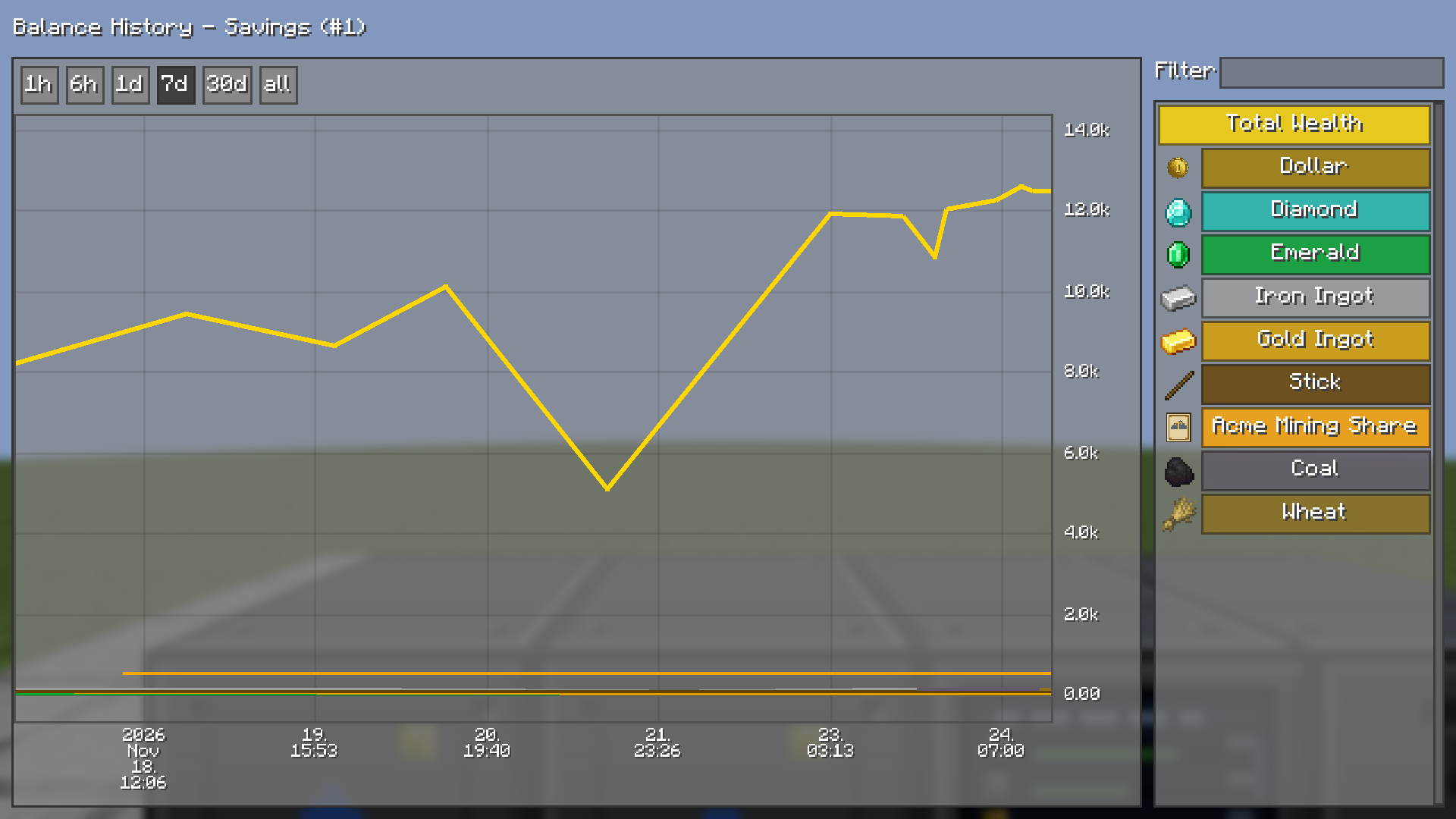
Balance history
The History button at the top right opens a chart of your account's balances over time, one coloured line per item. With StockMarket installed, a gold Total Wealth line shows the value of the whole account at market prices.
- The buttons 1h, 6h, 1d, 7d, 30d and all set the time span.
- Drag to move the chart, scroll to zoom. Space fits the view to the data, Ctrl+Space jumps back to now.
- Type in the Filter box to narrow the item list. Click an item to turn its line on or off. The chart remembers your choice.
If something goes wrong
| Message | What it means | What to do |
|---|---|---|
| … is not allowed to be stored in the bank | The server doesn't allow this item in the bank. | Keep it, or ask your admin. |
| The condition of … prevents banking it | The item is in a state the bank can't store, for example spoiled food from another mod. | Keep it in your inventory. |
| Crafted … could not be deposited into the bank and was moved to your inventory | Auto-deposit output was on, but the bank can't store this item. | Nothing: the item is in your inventory. |
| The Use Bank Items checkbox is greyed out | You don't have Allowed to withdraw on this account. | Pick another account, or ask a manager for the right. |
| A chat message says the account is frozen | An admin has frozen the account. Nothing can move in or out. | Ask an admin. Your items stay where they are. |
Related pages
- Bank accounts: sharing an account and its rights.
- Automation: move items into and out of the bank with redstone.
- How the two mods work together: what Total Wealth means.