Shares and the Share Stamper
A company's shares are real items. They only come into the world through a Share Stamper: it turns Blank Shares into Company Shares of one company. Each share counts toward the company's supply. Shareholders get dividends, and with StockMarket installed they can trade the shares.
What you need
| Item | How to get it |
|---|---|
| Blank Share | Craft 1 paper and 1 leather into 4 Blank Shares. |
| Share Stamper | Craft it, see Blocks and recipes. |
| A company | You need Allowed to manage on its account. See Founding and running a company. |
Binding the stamper to your company
- Place the Share Stamper and right-click it. Its screen says Not bound — right-click to choose a company.
- Pick your company from the list.
From now on, the stamper only makes shares of that company. Only founders, players with Allowed to manage on the company and BankSystem admins can open it. Everyone else sees Bound to … — no permission.
A bound stamper is hard to break for anyone else: it takes 20 times longer. When it does break, it keeps its company, so placing it again binds it again.
To bind it to another company, click Unbind first. Everything inside drops on top of the block.
Stamping shares
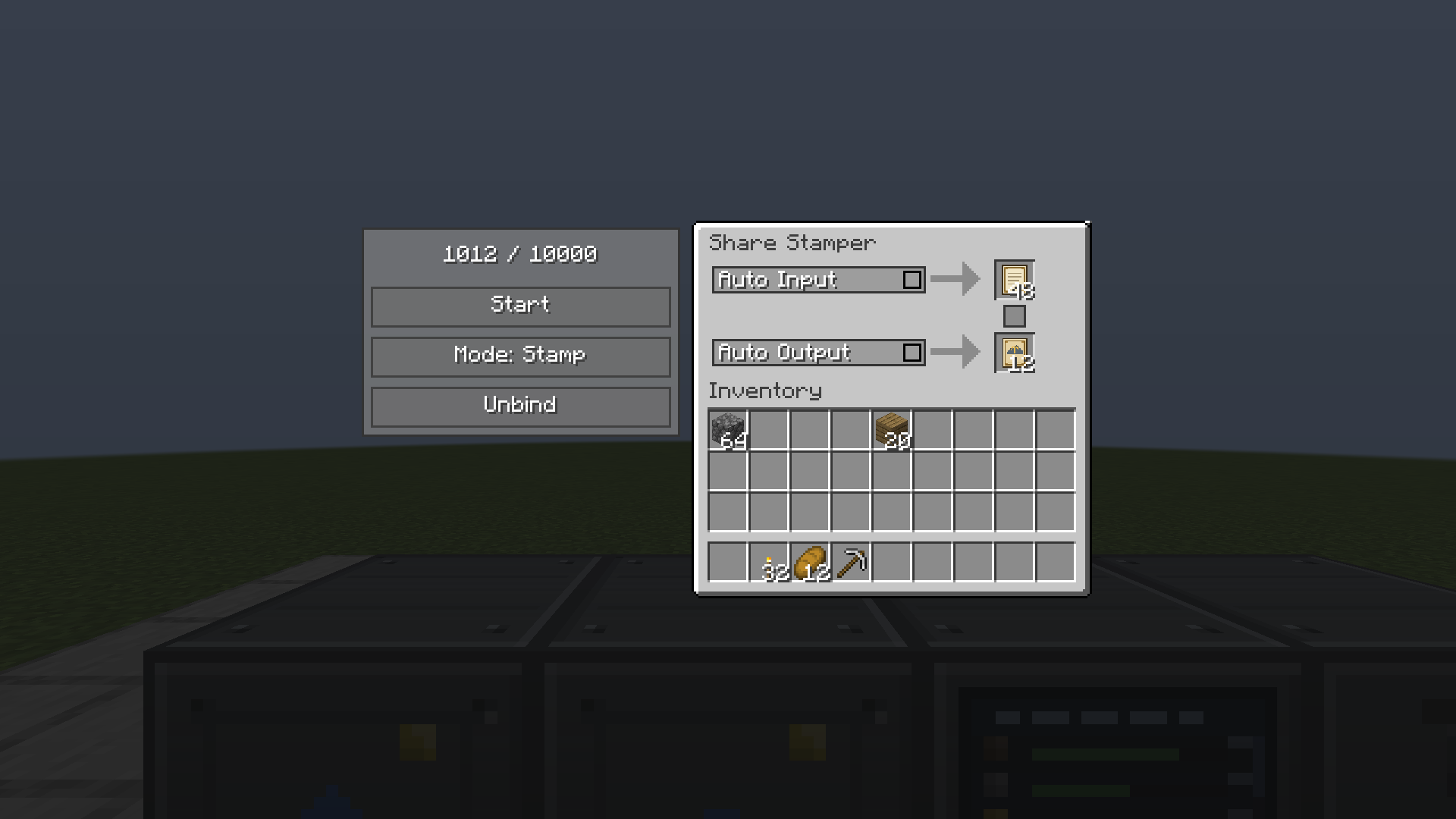
- Put Blank Shares into the top slot.
- Make sure the button says Mode: Stamp.
- Click Start.
The stamper makes one share about every 3.4 seconds. The supply line shows the issued shares and the max supply, for example 120 / 1000.
It stops by itself when the top slot is empty, the bottom slot is full, or the company has reached its max supply.
Turning shares back
Click the mode button to switch to Mode: Redeem. Now the stamper turns your company's shares back into Blank Shares, and the issued count goes down. Use this to make room under the max supply.
Automating it
- Auto Input: hoppers and pipes can fill the top slot from above. Only the right item gets in: Blank Shares in Stamp mode, this company's shares in Redeem mode.
- Auto Output: hoppers and pipes can take finished items from the bottom.
The stamper doesn't start again by itself. When it has stopped (top slot empty, bottom slot full, max supply reached), refilling the top slot is not enough: open the stamper and click Start.
Only one player can have the stamper open at a time.
Designing the share
In Company Management, open the Shares tab and click Edit Visual Layers.
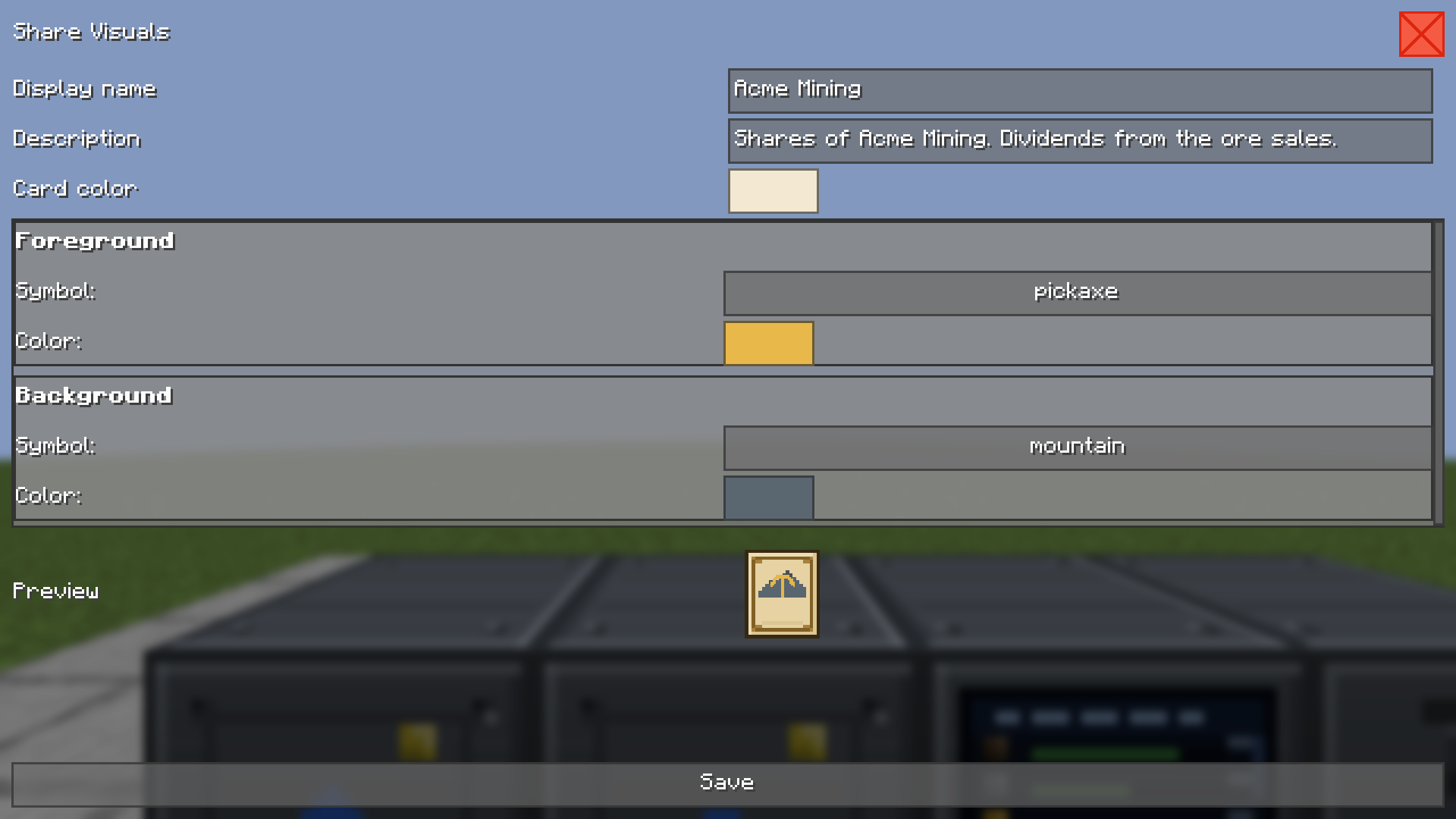
| Field | What it changes |
|---|---|
| Display name | The item is called "Display name Share". Leave it empty to use the company name. |
| Description | Text in the tooltip when you hold Shift. |
| Card color | The colour of the card itself. |
| Foreground | The main symbol and its colour. |
| Background | A second symbol behind it, and its colour. |
| Preview | Shows the result before you save. |
Click Save. Every share of the company in the world changes to the new look.
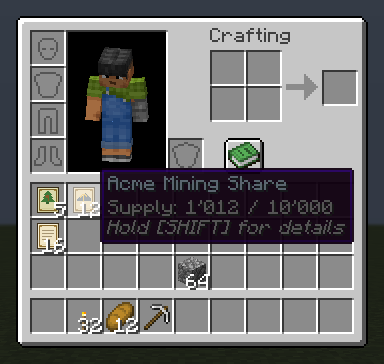
The share's tooltip shows the company name, the supply and, with Shift, the description. Right-click with a share in your hand to see the company.
The Shares tab also lists every Share Stamper bound to the company by its position, with an Unbind button.
If something goes wrong
| Message | What it means | What to do |
|---|---|---|
| Max supply reached (…/…) | The company has made all the shares it may ever have. | Turn shares back in Redeem mode to make room. |
| Share Stamper is already in use by another player | Someone else has it open. | Wait until they close it. |
| You have no companies with MANAGE permission | You can't bind the stamper to any company. | Found a company, or ask for Allowed to manage. |
| This server is not trusted by the bank master, so the Share Stamper can't be used here. | On a network of several servers, this one isn't set up fully yet. | Tell your admin. |
A share shows a number like company#12 instead of a name |
Your game hasn't loaded the company data yet. | Wait a second. If it stays, reconnect. |
Related pages
- Payouts and dividends: paying shareholders.
- Your company on the stock market: a market for your shares.
- Trading company shares: buying and selling shares.