Payouts and dividends
A company pays its people from its bank account. There are two kinds of payments:
- A payout runs on a timer, for example a wage every Minecraft day. It pays one player, or splits an amount among all shareholders.
- A dividend pays every shareholder at once, a fixed amount per share.
You need Allowed to manage on the company account. Open the Payouts tab in Company Management, or click Payouts in the management screen of the company account.
The Payouts list
The top line sums up all payouts: Total / hour (recurring money payouts only), the number of Schedules and how many runs Failed (24h).
Below, each payout has one row with its Target, Amount, Interval, the time until the Next run and the Status of the last run. Click Edit to change a payout.
Setting up a payout
- Click New Payout.
- Enter the Amount (two decimals allowed).
- Pick the Currency: money, or any item the company account holds.
- Pick the Interval: 1 min, 1 hour, 1 Minecraft day, or Custom for any number of real minutes.
- Click Pick target and choose the player and which of their accounts gets the money. The list shows the player's personal account and the accounts where the player has Allowed to deposit. The company's own account is left out. Unless you are an admin, you only see the player's personal account and the accounts you are a user of yourself.
- Click Save.
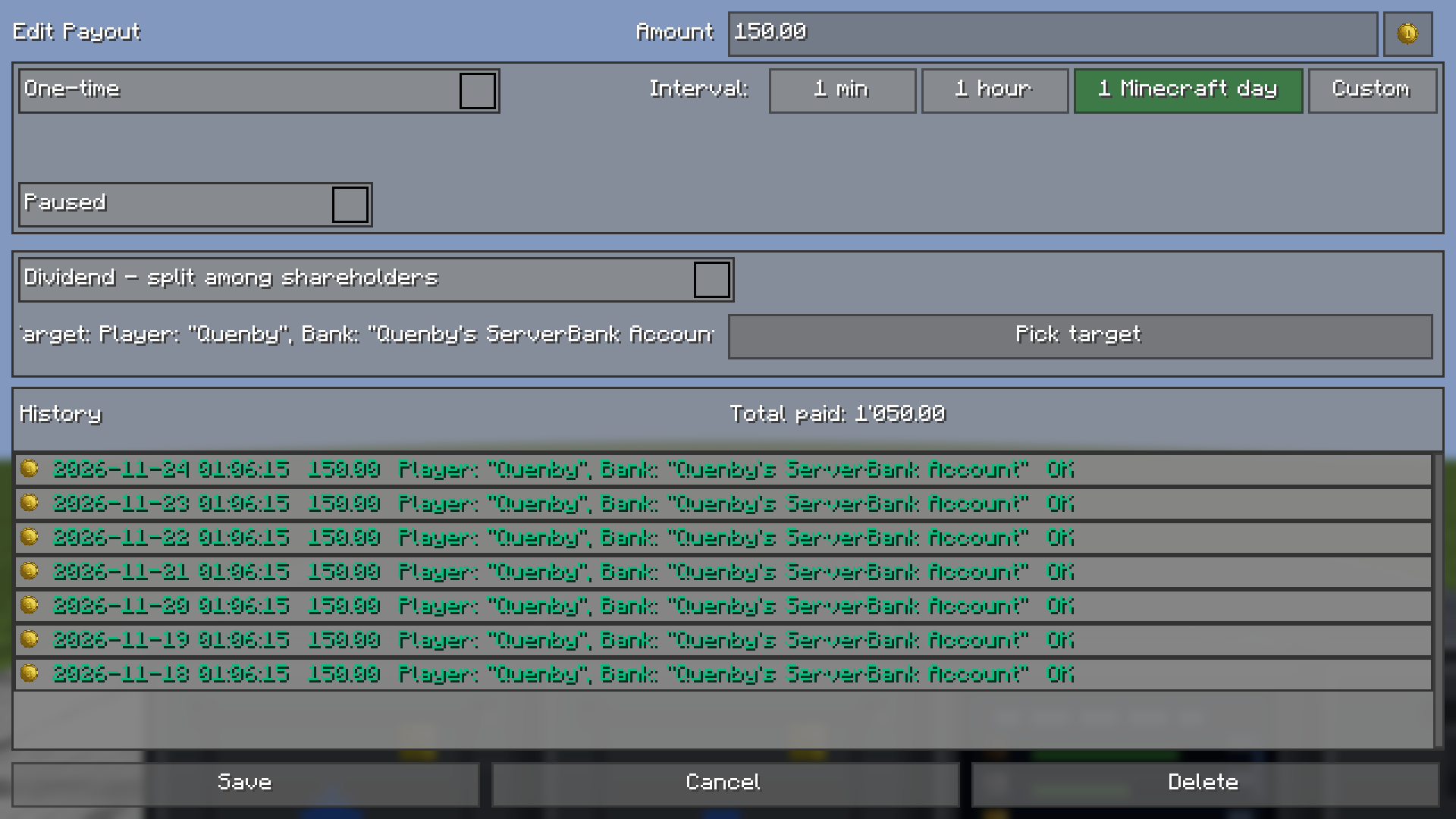
More options in the same window:
- Dividend - split among shareholders: no single target. The Amount is the total, split among all shareholders by how many shares they hold.
- One-time with Execute in (min): pays once after the given minutes, then removes itself.
- Paused: stops the payout. Paused runs are not saved up. The payout goes on at the next interval after you unpause it.
- History: the last runs of this payout and the Total paid.
- Delete: removes the payout.
After a server restart, every payout starts a full interval from that moment.
Paying a dividend now
- Click Pay Dividend.
- Pick the Currency.
- Enter the Amount per share.
- Click Pay.
Every shareholder gets their number of shares times the amount. The result shows right away, for example Paid 1,250 to 8 holder(s). The Dividend History below lists earlier dividends.
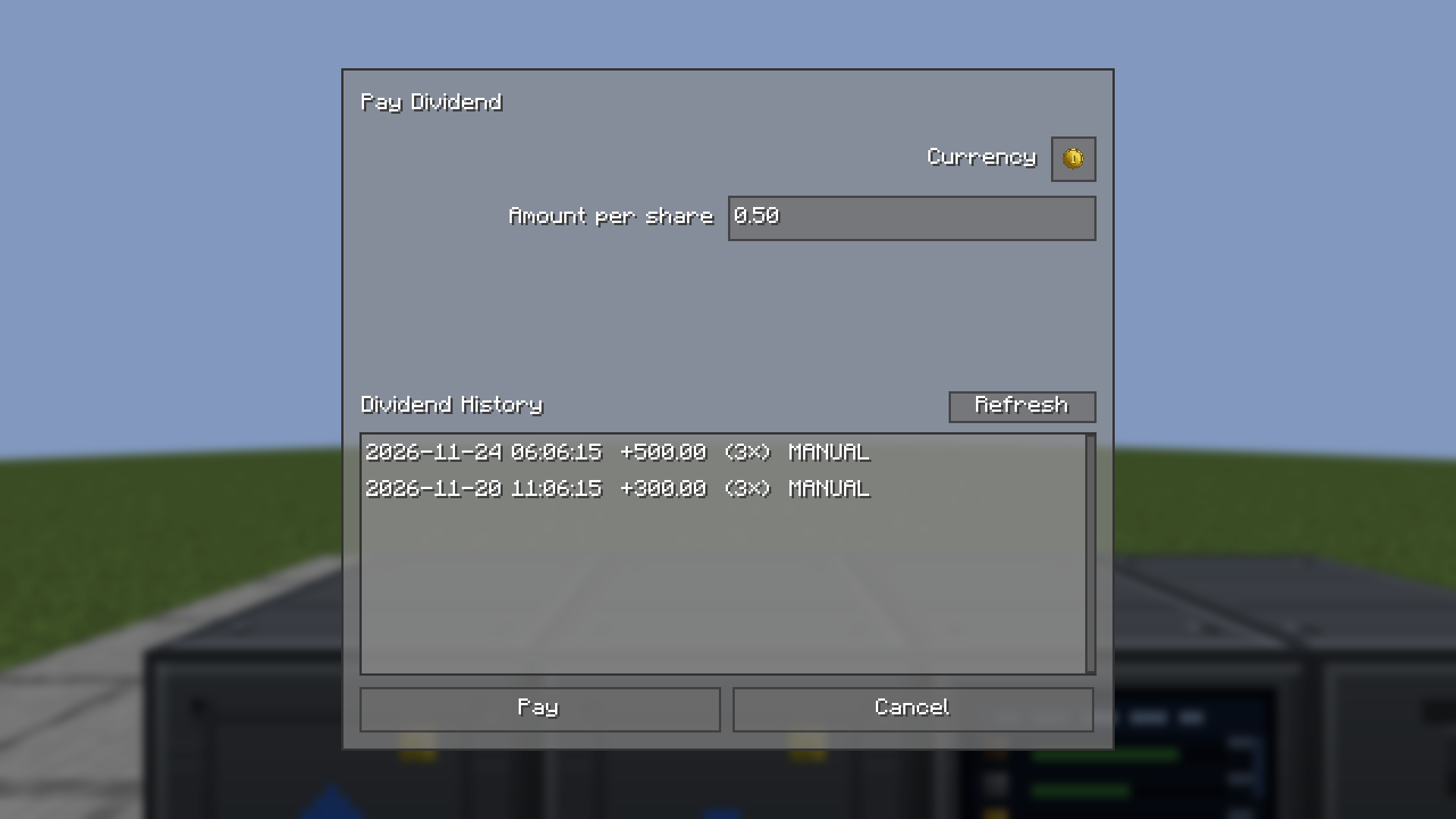
Rules for dividends:
- All or nothing. If the company can't pay everyone in full, nobody gets anything.
- Only shares in a bank account count. Shares in an inventory or a chest get nothing. Shares locked in open market orders still count.
- The company doesn't pay itself. Shares in the company's own account are left out.
- Only free money counts. Money reserved for the company's open market orders can't be used.
When a payout fails
The Status column shows why the last run failed:
| Status | Why | What to do |
|---|---|---|
| OK | The last run paid normally. | Nothing. |
| Insufficient funds | The company account didn't have enough free money. | Pay money into the company account. |
| Insufficient item balance | The payout pays an item, and the company doesn't hold enough of it. | Deposit the item, or change the currency. |
| Target not found | The player or their account no longer exists. | Pick a new target. |
| No deposit right | The player no longer has Allowed to deposit on the account you picked. | Pick another account of the player, or ask a manager of that account to give the right back. |
A paused payout shows PAUSED in the Next column. The Edit Payout window shows the last run in more detail. There you also see Paused and Account frozen, which mean the payout was paused or an admin froze the company account.
A failed run isn't tried again. The payout waits for its next run and counts the missed amount. Click Pay Missed on the row to pay what was missed. You can pay all of it or only a part.
Dividends paused
If more shares of the company turn up in bank accounts than were ever stamped, dividends pause until it has been checked. Wages to single players keep running. A manager or a founder can accept the count with /company shares acknowledge "<name>". Until then, no dividend is paid and dividend payouts can't be created or changed.
If the company has a share market, trading on it stops too, and the company's managers get a chat message. Accepting the count doesn't restart it: click Resume trading in the Market tab.
Related pages
- Founding and running a company: workers and their rights.
- Shares and the Share Stamper: where shares come from.
- Trading company shares: dividends from the shareholder's side.