Investigating in game
When an alert comes in or a player reports something odd, these screens show what happened. They are for BankSystem admins only. On a slave server that isn't trusted, the Audit screen shows Access denied and the other screens stay empty.
The Audit screen
The Audit screen lists every balance change of one account, newest first. Open it with
or with Audit in the management screen of an account. A player name opens their personal account.
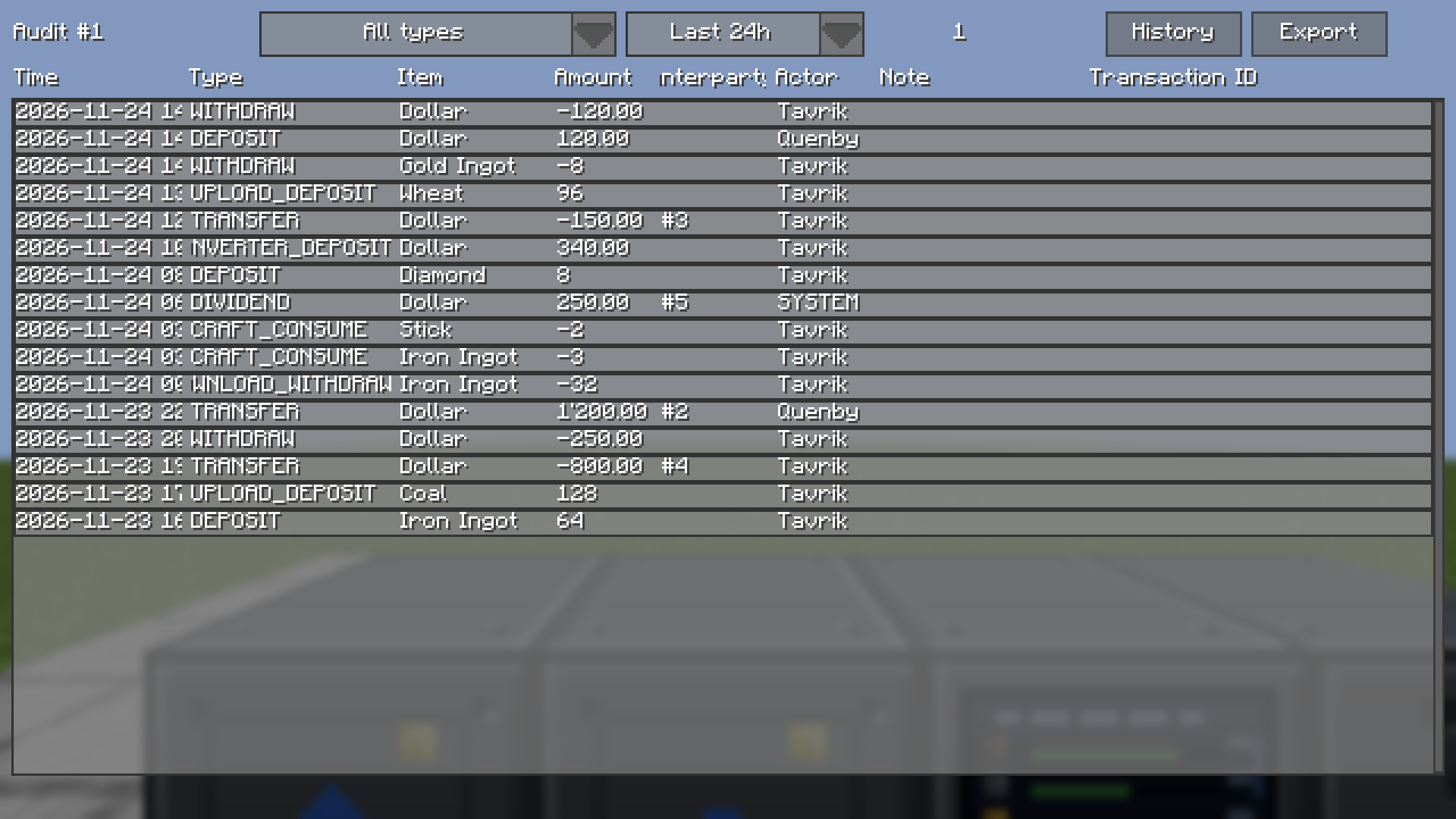
| Column | Shows |
|---|---|
| Time | When it happened. |
| Type | What happened: deposit, withdrawal, transfer, admin edit, payout, trade and so on. |
| Item | Which item or money. |
| Amount | How much. Negative when it left the account. |
| Counterparty | The other account of a transfer. |
| Actor | Who caused it: a player, an admin, the console, the server itself or StockMarket. |
| Note | Extra details. |
| Transaction ID | Links rows that belong together, such as both sides of a transfer. |
The top row holds the controls:
- All types filters by entry type.
- Last hour, Last 24h, Last 7 days or All time picks the time range.
- < and > turn the pages. Each page shows 100 entries.
- History opens the account's balance history (see below).
- Export saves every entry that matches the filters, up to the newest 10,000, as a CSV file on your computer.
Hover a row to see it in full. Click a row to copy it to the clipboard.
Entries made at a block (Bank Terminal, ATM, automation blocks, Share Stamper) also store where the block is. On a network, entries from slave servers say which server they came from.
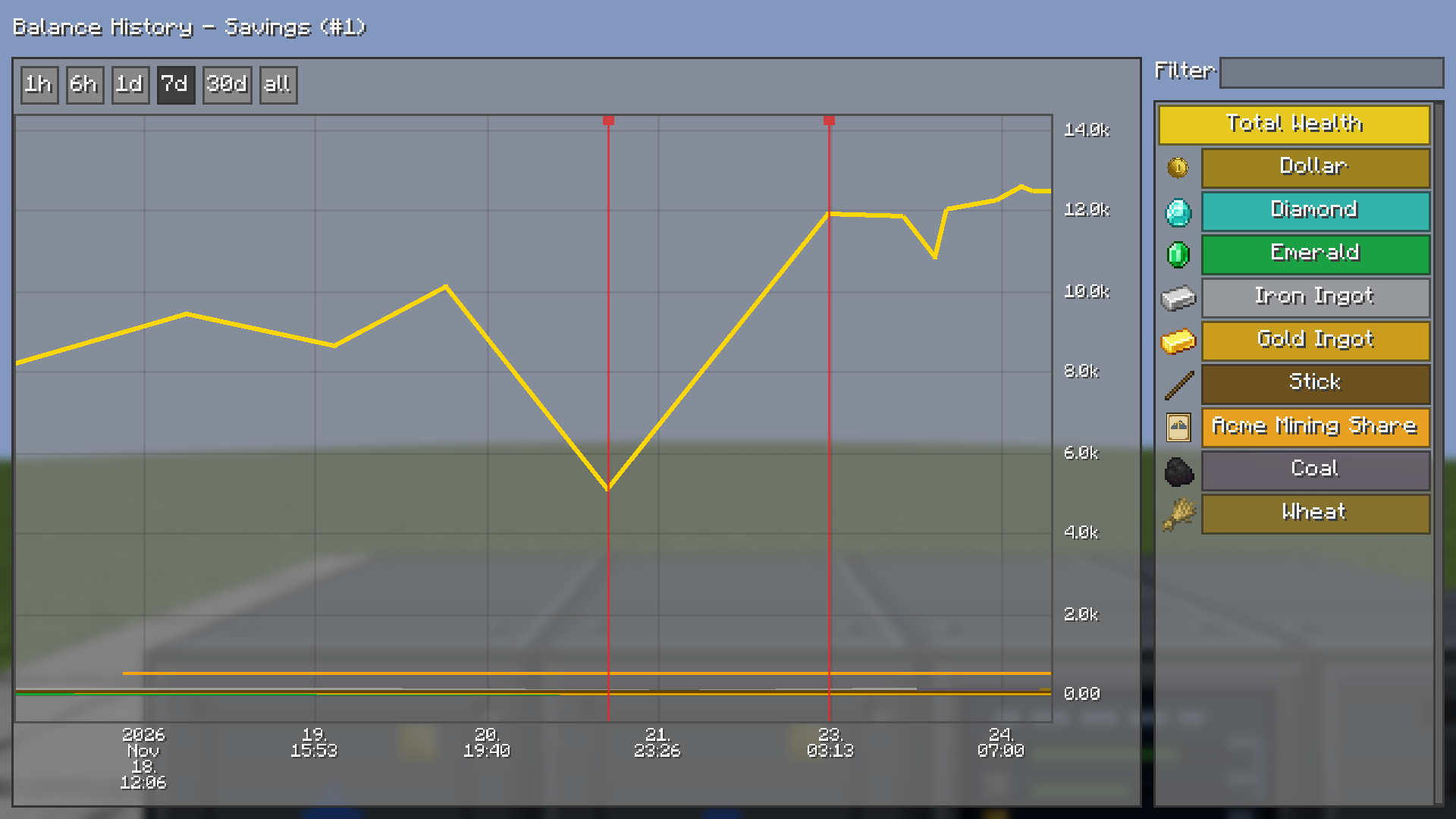
Balance history with flags
opens the balance chart of any account, the same chart players see, with its total wealth line. The account's suspicion flags show as red markers. Hover a marker to see what was flagged.
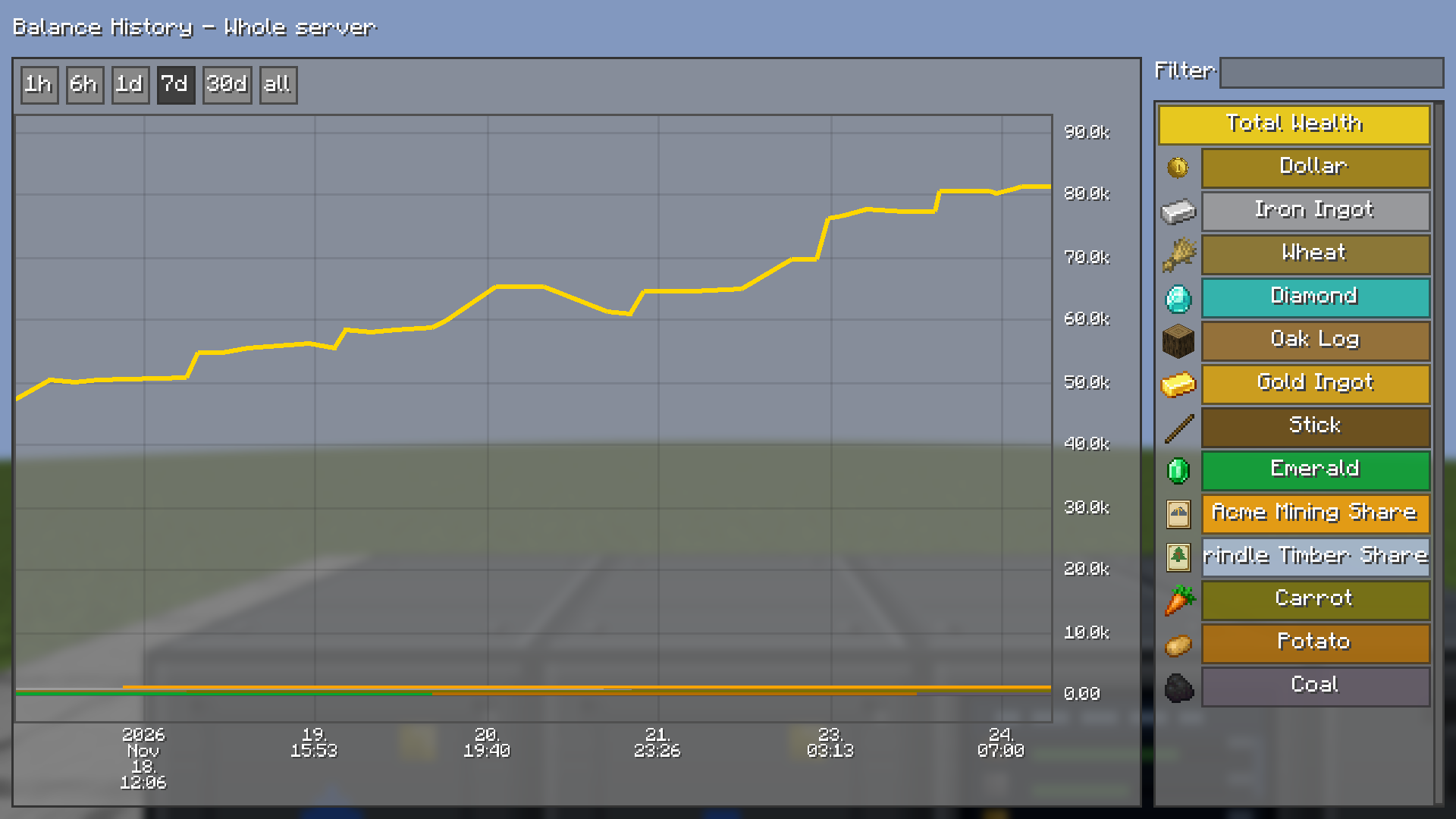
The whole server
Server history at the top of the Bank Settings screen (/banksystem manage) shows the balance history of all accounts added up, per item. Money supply flags show as markers. Use it to see when money or items appeared on the server.
A typical check
- Open the flagged account with
/banksystem audit <account>and set the range to the time of the flag. - Look at the Actor and Counterparty columns: where did the money come from, and where did it go?
- Follow the money: open the counterparty account the same way.
- While you look into it, freeze the accounts involved so nothing moves.
- Correct balances in the management screen or with
/money, then unfreeze.
For a case across several servers or a long time span, export the saves and use the Audit Tool.
Related pages
- Alerts and suspicion flags: what each flag means.
- Managing accounts: freeze and correct accounts.
- Daily digest and reports: a summary of a day or of the last hours.